Why Tinkercad Is the Best Place to Start With 3D Design (Kids and Adults)
If you are new to 3D printing, the hardest part is usually not the printer. It is the design step. You find a model online, print it, and then quickly realize you want to tweak it, resize it, add a name, or build something custom for your exact use case. That is where learning basic 3D design becomes a superpower.
For most beginners, the best first step is Tinkercad.
Tinkercad is a free, browser-based design tool from Autodesk that makes 3D modeling approachable. It is simple enough for kids to learn quickly, but useful enough that adults can design real parts that solve real problems.
This post explains why Tinkercad is such a strong starting point for both kids and adults, what it teaches you, and how to get moving fast without getting overwhelmed.
Why Tinkercad works so well for beginners
It removes the technical friction
A lot of 3D design software has a learning curve that feels like a wall. Tinkercad skips that. It is browser-based, so you do not need to install anything, manage drivers, or configure a complicated workspace before you can start creating.
For parents and teachers, that matters. For adults with limited time, it matters even more.
It teaches the most important concept in beginner CAD
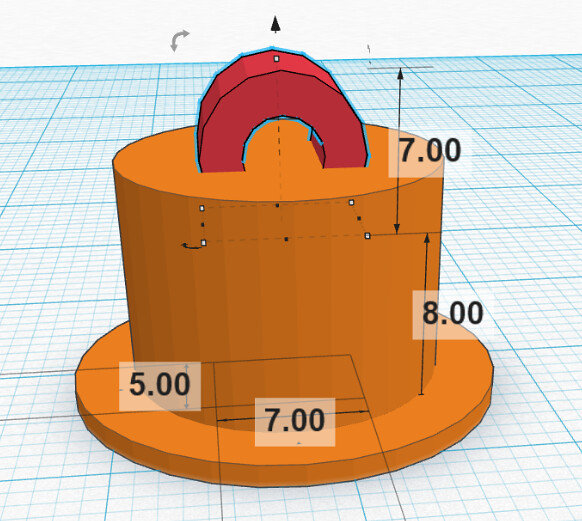
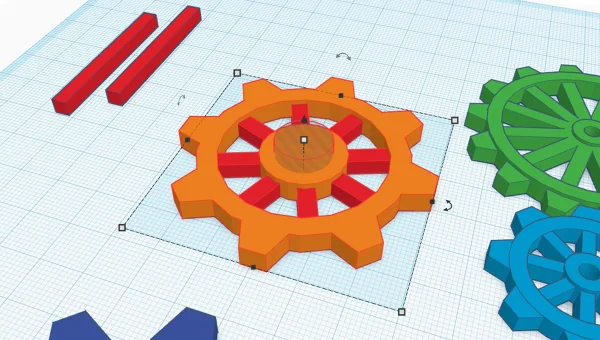
Tinkercad is built around simple shapes and a workflow called constructive solid geometry. You combine shapes, subtract shapes, and group parts together to create objects. That might sound basic, but it is the exact mental model that helps people understand how 3D design really works.
You learn things like:
- How to think in dimensions (width, depth, height)
- Why tolerances matter
- How holes, slots, and clearances affect fit
- How to orient a part for 3D printing
Those skills transfer to more advanced tools later.
It is forgiving
Beginners need quick wins. In Tinkercad, you can undo mistakes easily, drag objects around, align parts, and rework a design without feeling like you broke the whole project.
For kids, that keeps it fun. For adults, it keeps it practical.
It supports a bigger learning path than most people realize
Many people think Tinkercad is only for basic 3D shapes. In reality, it also has features for electronics circuits and block-based coding, which is a huge plus for STEM learning. Even if you only care about 3D printing, it is useful to know that the platform can grow with the user.
Official site:
https://www.tinkercad.com/
Why kids learn fast in Tinkercad
Kids do well with Tinkercad because it is visual and direct. Drag a shape in, resize it, cut a hole, group it, and you have a result. That immediate feedback is exactly what makes it stick.
For school environments, Tinkercad also supports classroom workflows. Autodesk provides guidance on how classrooms handle student access and teacher management.
Tinkercad classrooms info:
https://www.tinkercad.com/help/classrooms/official-guide-to-tinkercad-classrooms
Why adults benefit just as much
Adults tend to approach 3D printing with a goal. Fix something. Organize something. Replace something. Build a tool. The reason Tinkercad is so useful is that it can get you from idea to printable file quickly.
If you can measure a part and think in simple shapes, you can design a printable solution in a single sitting.
A few common adult wins:
- A custom spacer that does not exist online
- A simple bracket to mount something
- A container sized for a specific drawer
- A clip that fits your exact bag or hose
You do not need to be an engineer to make useful things.
A simple starter plan (kids or adults)
If you want to learn quickly, do these in order:
- Make a keychain with a name
- Make a small box with a lid
- Make a simple wall hook
- Make a replacement cap or cover using measurements
- Make a part that must fit around something (tolerance practice)
That sequence teaches the real skills that matter: alignment, holes, offsets, fit, and printability.
Where to learn inside Tinkercad
Tinkercad has built-in lessons and starter projects, and many people learn by following simple challenges.
Start here:
https://www.tinkercad.com/
Bottom line
Tinkercad is a great place to start because it is simple, fast, and teaches the fundamentals that matter most for 3D printing. It helps kids build confidence quickly, and it helps adults design practical solutions without needing a massive learning curve.
When you are ready, you can graduate to more advanced tools. But as a first step, Tinkercad is hard to beat.